Image Describer•9 min read
Ai That Describes Images: Beyond Pixels
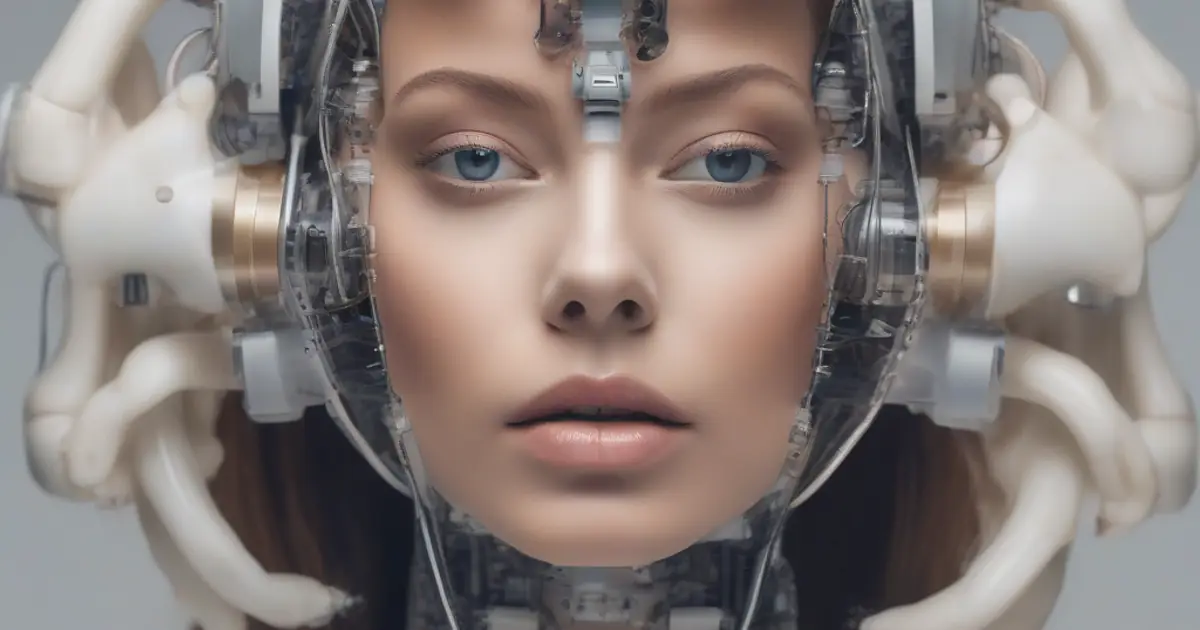
# Beyond Pixels: How AI That Describes Images is Unlocking a New Visual Language
You know that feeling. You’re looking at a photo—maybe it’s a dense historical archive image, a complex scientific diagram, or just a really interesting street scene. You want to explain it to someone, but the words just… don’t come. “There’s a… thing, next to a kind of building, with some people…” It’s frustrating, right?
Our brains are incredible at processing what we see. But turning that into clear language? That’s a whole different skill.
Here’s where AI that describes images changes the game. Honestly, it’s not about replacing how we see. It’s about building a bridge. A bridge between the visual world and the world of words. This tech is quietly changing everything, making pictures online more accessible, searchable, and just plain understandable. It’s turning pixels into prose.
If you’re new to this, I’d recommend starting with our foundational guide, Unlocking Visual Stories: Your Complete Guide to AI Image Describers. It breaks it all down.
From Code to Caption: How This AI Actually Works
So, how does a bunch of code “see” a picture and then talk about it? Let’s it. It’s not magic—it’s advanced, multi-layered pattern recognition. I like to think of it as a pipeline.
First, the AI scans the image. It breaks everything down. It finds objects (“dog,” “tree,” “bicycle”). It spots their attributes (“brown,” “tall,” “red”). It analyzes the scene (“park,” “kitchen,” “city street at night”). Basically, it’s parsing visual data into concepts a computer can use.
Then, stage two kicks in: making sentences. The system takes those concepts and arranges them into something that sounds human. The goal isn’t a dry list. It’s “A brown dog runs through a sunlit park,” not just “dog, brown, grass, trees.”
The Two-Part Brain: Vision Meets Language Most modern systems use a powerful combo. Think of it as a team.
You’ve got a vision model, like CLIP. This thing is trained on hundreds of millions of image-text pairs. It doesn’t just recognize shapes; it learns the *connection* between those shapes and the words we use. It figures out that a specific cluster of pixels is usually called a “cat.”
Then you’ve got a large language model (LLM)—the same tech behind smart chatbots. Its job is to take that raw “understanding” and turn it into proper English. The vision model “sees.” The language model “speaks.” Together, they make AI that describes images possible.
Training on a World of Pictures This skill comes from insane amounts of training. I mean, immense. These AIs learn from huge datasets like ImageNet, which have millions of images labeled by people. They see thousands of pictures of “German Shepherds,” “espresso machines,” and “Impressionist paintings” from every angle.
That’s how they learn to tell a Maine Coon from a Norwegian Forest cat. Their knowledge is a reflection of the visual world we’ve shown them. It’s a mirror, for better or worse.
More Than Alt Text: What This Tech Actually Does
Okay, cool tech. But what does it actually *do* for people? This is where it gets exciting. It’s far more than a neat trick.
Creating Accessibility at Scale For me, this is the most important use. Hands down. For blind and low-vision users, the web is full of silent, meaningless image placeholders. Screen readers need alt text to describe pictures. Writing it manually for a huge website? That’s a Herculean task—sometimes impossible.
AI that describes images can generate this alt text automatically. At scale. It can turn a blank space into “Two women laughing over coffee at a café table” or “Graph showing Q3 revenue growth of 15%.” That’s not just convenient. It’s for digital inclusion. It makes the visual web navigable for everyone.
Supercharging Search and Content Management Ever tried to find one specific photo in a library of 50,000 unsorted images? It’s a nightmare. I’ve been there.
AI description changes everything. Once every image has a rich, machine-readable description, you can search with simple keywords. Need “all photos from the 2019 conference with a podium and a blue backdrop”? Done. Looking for “product shots where the model is wearing a hat”? You’ll find them in seconds.
This is a total for photographers, marketers, librarians—anyone drowning in digital assets. For a deep dive on how this works in real life, check out Image Describer AI: The Tool That Actually Gets Your Pictures.
The Human-AI Team: Boosting Creativity and Analysis
I hear the worry sometimes: “Is this going to replace writers or analysts?” Honestly, I don’t think so. From what I’ve seen, it’s about giving us a boost, not taking our jobs. It’s a powerful co-pilot.
The Content Creator's Co-Pilot Picture this. You’re a social media manager with 50 product images to post. Brainstorming 50 unique, engaging captions is mentally draining.
An AI that describes images can give you a first draft: “Close-up of a handcrafted leather wallet on a rustic wooden table.” That’s your springboard. Now you can tweak it. Add your brand’s voice. Throw in a call-to-action or a clever pun. The AI handles the boring descriptive baseline, freeing you up for the creative stuff.
Plus, it can audit your existing photos. It can tell you, “Hey, 80% of your blog images show people outdoors.” That helps you spot gaps in your visual strategy without spending hours looking. Want to understand the tools that make this possible? Ai Image Describer: So, What Exactly is an breaks it down simply.
A New Lens for Research Think bigger. A historian has 10,000 old photos from a particular era. Manually sorting them? That could take weeks. An AI can scan them all, spotting recurring objects, settings, or clothing styles. It can reveal patterns a human might miss.
A journalist monitoring a conflict zone can use it to quickly sort through streams of user-generated content. An environmental scientist can classify thousands of satellite images to track deforestation. It’s a force multiplier for human curiosity. It lets us ask bigger questions.
The Limits: Accuracy, Bias, and the "Black Box"
We have to be real about this. The tech is incredible, but it’s not perfect. Ignoring its limits is how we get into trouble.
When Descriptions Go Wrong Yes, AIs get it wrong. They can be confidently incorrect. They might call a weird rock formation “a ruined castle” or mistake a specific dog breed. They might even invent details that aren’t there—what we call “hallucinations.”
That’s why human review is still absolutely necessary for important uses. You wouldn’t publish auto-generated alt text for a complex medical diagram without a doctor checking it, right? The AI gives you a fantastic first pass. But the human provides the final, critical judgment. That’s the collaboration.
The Bias in the Machine's Eye This is the big one. An AI is only as unbiased as the data it learned from. If its training dataset has mostly pictures of CEOs who are older white men, it might start to link “CEO” with that look. If it sees “nurse” paired mostly with images of women, its descriptions can accidentally reinforce that old stereotype.
Look, the AI isn’t prejudiced. It’s statistical. It reflects our world’s imbalances back at us. Fixing this needs conscious work—curating better, more diverse training data and building in oversight. It’s a technical and ethical challenge we’re still figuring out. The mechanics of how this all operates, problems included, are explored in Ai That Describes Images: How.
What's Next? The Future of Descriptive AI
Where is this all heading? The path is moving from simple description to something deeper. More intuitive.
From Description to Interpretation The next wave of AI that describes images won’t just list objects. It’ll infer context. Emotion. Maybe even a bit of story.
Instead of “A woman and a child sitting on a bench,” it might offer: “A mother and daughter share a quiet, joyful moment on a park bench, smiling at a smartphone.” It’s moving from the “what” to the “why” and the “how it feels.” It’s starting to guess the story behind the pixels.
Seamless, Everyday Integration I think we’ll stop seeing it as a separate tool. It’ll just be… everywhere. Woven into our devices.
Your AR glasses could whisper a description of a landmark as you walk by. A museum app could generate a detailed audio guide for any painting you point your phone at. Your photo editor could suggest captions based on the mood of your picture. The tech will become ambient. It’ll give us real-time understanding of the visual world around us. That’s pretty wild to think about.
# A New Way of Seeing, Together
We started with that gap—the gap between seeing and saying. What AI that describes images offers is a bridge. A really smart, helpful bridge.
It’s not a replacement for human perception. Not even close. It’s a collaborator. It helps us manage the visual overload of the digital age. It unlocks content for everyone. And it gives us new tools to analyze stuff and create cool things.
Basically, it’s giving a voice to the silent images that fill our lives. It’s helping us see, together, in more ways than one. This is about adding to our abilities, not replacing them.
And as this whole tool ecosystem gets better, staying informed is key. You can check out the current in our overview, Image Describer: The. The future is visual. And now, thanks to this tech, it’s becoming verbal too.
Frequently Asked Questions
How does an AI that describes images actually work?
It uses a two-part system: a vision model to identify objects, colors, and scenes, and a language model to turn those concepts into coherent, natural-sounding sentences.
What are the main uses for AI that describes images?
It's primarily used to make visual content accessible for people with visual impairments, improve image search engine optimization (SEO), and help organize large digital photo libraries.
Can AI that describes images recognize text within pictures?
Yes, many advanced systems use Optical Character Recognition (OCR) to detect and read text in images, which is then incorporated into the overall description.
Is AI image description accurate enough for professional use?
While highly advanced, it can still make errors with complex or abstract images, so professional use often requires human review for critical applications.
Which AI that describes images is best for everyday users?
For everyday use, free tools like Microsoft's Seeing AI or Google Lens are excellent starting points due to their ease of use and integration with common devices.
E
Editorial Team
Content Writer
Frequently Asked Questions
How does an AI that describes images actually work?
It uses a two-part system: a vision model to identify objects, colors, and scenes, and a language model to turn those concepts into coherent, natural-sounding sentences.
What are the main uses for AI that describes images?
It's primarily used to make visual content accessible for people with visual impairments, improve image search engine optimization (SEO), and help organize large digital photo libraries.
Can AI that describes images recognize text within pictures?
Yes, many advanced systems use Optical Character Recognition (OCR) to detect and read text in images, which is then incorporated into the overall description.
Is AI image description accurate enough for professional use?
While highly advanced, it can still make errors with complex or abstract images, so professional use often requires human review for critical applications.
Which AI that describes images is best for everyday users?
For everyday use, free tools like Microsoft's Seeing AI or Google Lens are excellent starting points due to their ease of use and integration with common devices.
You Might Also Like

How to Describe Images with AI: A Practical Guide
Learn how to describe images with AI in this practical guide — see how tools work, why they matter, and how to get accurate results every time.
Read More
Ai That Describes Images: How 2026
Discover how AI that describes images is changing how we see the world — learn what it can interpret and why it matters now.
Read More
Ai Picture Describer: Your Complete Guide
ai picture describer: You know the feeling. You’re staring at a photo—maybe it’s a detailed chart, a messy desk that looks oddly artistic, or a candid s...
Read More