Image to Image AI Generator
Transform any photo into a new AI image — upload a reference, describe the change, and download the result.
How the Image to Image Generator Works
Our image to image AI takes an existing picture as the starting point instead of a blank canvas, so the result keeps your composition while following your instructions.
Upload Your Reference Image
Drop in any PNG, JPG, or WebP up to 15MB — a photo, a sketch, a render, or a previous AI generation.
Describe the Transformation
Tell the AI what to change in plain language: "make it night time", "turn this into a watercolor painting", "add falling snow".
Generate and Download
The FLUX.2 engine re-renders your image following the instruction, keeping the original aspect ratio. Download as PNG, JPEG, or WebP.
Why Image to Image Beats Starting From Scratch
Text-to-image generators are powerful, but they gamble on composition: every generation starts from noise, so the layout, pose, and framing change on every attempt. An image to image AI generator flips that around — your existing picture anchors the structure, and the AI only changes what you ask it to. That makes it the fastest way to iterate on a visual you already like, whether it came from a camera, a sketchbook, or our own AI image generator.
Our tool offers two distinct engines. FLUX.2 Klein performs instruction-based editing: it reads your photo, understands your request, and re-renders the scene — turning day into night, summer into winter, or a snapshot into a cinematic still while the subject stays recognizably itself. The Classic engine (Stable Diffusion 1.5 img2img) works differently: a strength slider controls how far the AI drifts from your original, which is perfect for painterly restyles and creative reinterpretation.
Image to image also pairs naturally with prompt extraction. If you have a reference image whose style you want to transfer to a different subject, run it through our image to prompt generator first, then apply that extracted style description to your own photo here. The combination gives you a full reverse-engineering plus re-application workflow that no single-tool site offers.
- Keeps your original composition and aspect ratio
- Instruction-based editing with FLUX.2 Klein
- Classic strength-based restyle for artistic looks
- Works with photos, sketches, renders, and AI images
Who Uses an Image to Image AI Generator?
From quick style experiments to production workflows, transforming an existing image is often faster and more controllable than generating a new one.
Digital Artists
Turn rough sketches and value studies into fully rendered concept art while keeping the original composition intact.
E-commerce Sellers
Re-shoot product photos without a studio — swap backgrounds, change lighting moods, or generate seasonal variants of the same shot.
Content Creators
Refresh the same portrait or scene into new styles for thumbnails, covers, and posts without reshooting.
Game Developers
Explore environment and character variations rapidly — one blockout render becomes ten art-directed alternatives.
Photographers
Experiment with looks that would take hours in an editor: golden hour relighting, film stock emulation, or full artistic repaints.
Marketers
Adapt one hero visual into campaign variants — different seasons, palettes, and moods — while the brand subject stays consistent.
ImaginPrompt vs Other Image to Image Tools
Here is how our free image to image AI generator compares to the most common alternatives.
| Feature | ImaginPrompt | Midjourney Blend | Photoshop Generative Fill |
|---|---|---|---|
| Free to use | Yes — free daily transformations | Paid subscription only | Paid subscription only |
| Instruction-based editing | Yes (FLUX.2 Klein) | No — blends images only | Partial — selection-based |
| Works in the browser | Yes, no install | Web app, paid account only | Desktop app required |
| Strength-controlled restyle | Yes (Classic engine) | Limited weight control | No |
| Keeps original aspect ratio | Yes, automatic | Square-biased output | Yes |
| No watermarks | Yes | Yes | Yes |
For fast, free, browser-based photo transformation with real instruction following, ImaginPrompt is the most direct option — no Discord, no desktop install, no subscription required to start.
Pro Tips for Better Image to Image Results
💡 Describe the change, not the whole scene
With the FLUX.2 engine, short targeted instructions like "make it snow" or "convert to oil painting" outperform long scene descriptions — the reference image already carries the scene.
💡 Match the engine to the job
Use FLUX.2 Klein when the subject must stay recognizable (edits, relighting, seasons). Use Classic with higher strength when you want a loose artistic reinterpretation.
💡 Start from a clean, well-lit reference
The AI amplifies what it sees. Sharp, well-exposed inputs produce dramatically better transformations than blurry or noisy ones.
💡 Iterate on your own outputs
Feed a generated result back in as the new reference to refine it step by step — each pass keeps what worked and adjusts what didn't.
Transformation-Ready Prompt Inspiration
Browse prompts from our gallery — any of these styles can be applied to your own photos with the image to image engine.
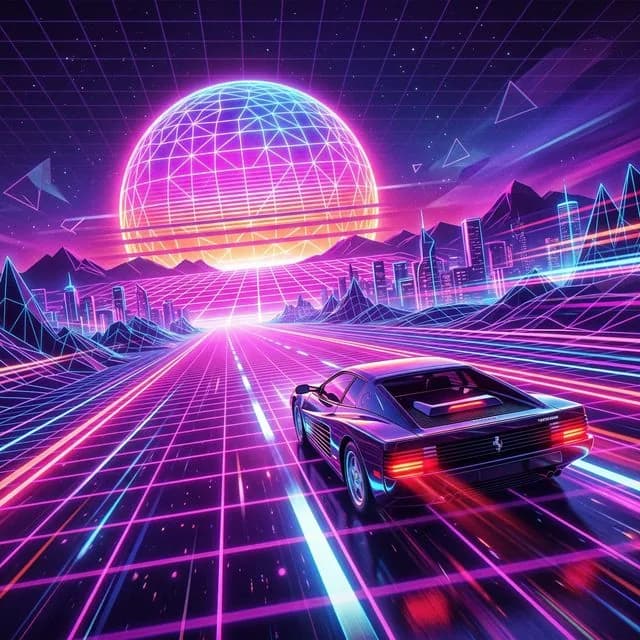
Retro Synthwave Sunset
Vibrant neon color palette, glowing bloom effects, sharp geometric shapes
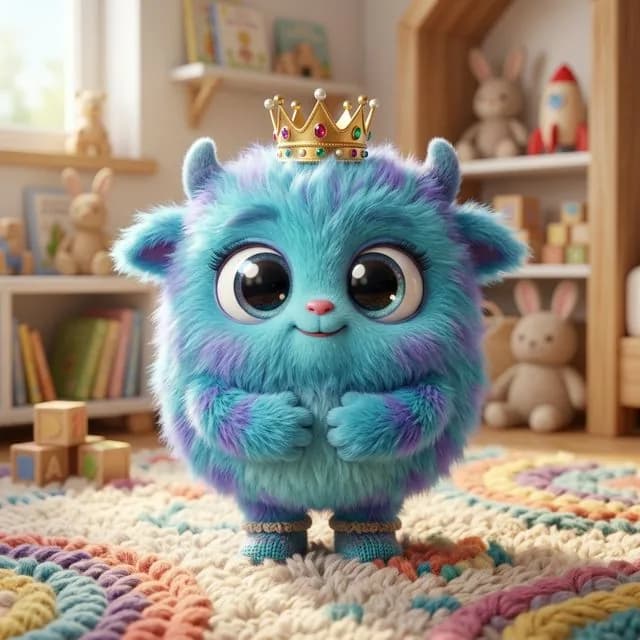
Fluffy 3D Character
Volumetric hair grooming, soft studio lighting, adorable proportions
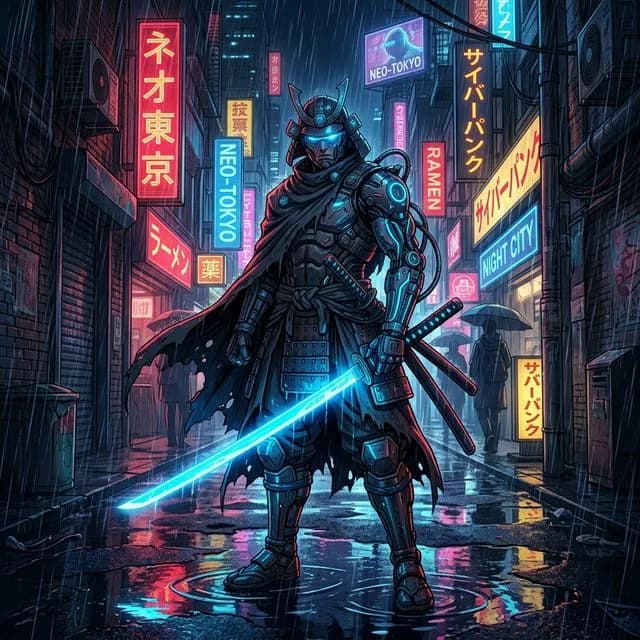
Cyberpunk Samurai Katana
Cyberpunk anime aesthetic, cinematic rain drops, heavy neon reflections
Frequently Asked Questions
What is an image to image AI generator?+
It is an AI tool that creates a new image from an existing one instead of from pure text. You upload a reference picture and describe the change you want; the AI re-renders the image following your instruction while preserving the overall composition.
How is FLUX.2 instruction editing different from the Classic restyle engine?+
FLUX.2 Klein understands natural-language editing instructions — "make it night", "add rain" — and keeps your subject recognizable. The Classic engine (Stable Diffusion 1.5 img2img) uses a strength slider instead: lower strength stays close to your original, higher strength re-imagines it more freely in the style your prompt describes.
Is the image to image generator free?+
Yes. Guests can try 1 transformation per day without an account, registered free accounts get 5 per day, and paid plans use credits for unlimited daily flexibility. There are no watermarks on any output.
Which image formats and sizes are supported?+
PNG, JPG, and WebP files up to 15MB. Large images are automatically scaled to the optimal processing size, and results download as PNG, JPEG, or WebP.
Is my uploaded photo stored on your servers?+
Your reference image is processed in memory for the transformation and is not kept afterwards. Only the generated result is stored so you can view and download it.
Does the output keep my original aspect ratio?+
Yes — by default the result matches your reference image's ratio. You can also switch the output to square, wide (16:9), or portrait (9:16) before generating.
Can I use the transformed images commercially?+
Usage rights follow your plan: the free tier is licensed for personal and non-commercial use, while paid plans include commercial usage. Also make sure you hold the rights to the reference image you upload — transforming someone else's copyrighted work can still require their permission.