Text to Prompt
Turn simple ideas into studio-grade AI art prompts.
How the Text to Prompt Generator Works
Our AI prompt text optimizer transforms basic descriptions into structured, token-weighted prompts designed explicitly for diffusion model attention mechanisms. Stop typing vague ideas — let our text prompt generator build studio-grade syntax automatically.
Magic Enhance
Type a basic concept (e.g., 'a cat in space') and let the AI automatically expand it into a detailed, professional-grade prompt with lighting, camera angles, and rendering parameters.
Smart Edit
Refine or modify an existing prompt by providing instructions (e.g., 'make it cyberpunk' or 'change background to sunset'). The AI applies your edits while preserving prompt integrity.
Optimize & Translate
Type your prompt in any language and instantly translate it into highly optimized English syntax, ensuring maximum compatibility and quality in Midjourney, DALL-E, and Stable Diffusion.
Why a Text to Prompt Optimizer Outperforms Manual Writing
Most people type something vague into an AI image generator. They write 'a beautiful mountain landscape' and wonder why the result looks generic. The reason is simple. Diffusion models do not read English like humans do. They process weighted token sequences. Without proper structure, your words compete for attention. A text to prompt tool fixes this by converting plain language into precise syntax.
Our optimizer applies four layers to every input. First, it sharpens your subject with specific descriptors. Second, it builds environmental context — foreground, midground, and background. Third, it adds lighting parameters like color temperature, direction, and intensity. Finally, it attaches quality markers — resolution tags and rendering cues that boost output fidelity.
This structured approach is why professionals get gallery-worthy images while beginners struggle. The difference is never the AI model. It is always the prompt. Our text prompt generator gives every user the same techniques that took prompt engineers years to learn.
- Converts plain English into model-optimized token syntax
- Four-layer optimization: subject, environment, lighting, and fidelity
- Works with Midjourney, DALL-E, Stable Diffusion, and Flux
- Produces consistent results in under 3 seconds
Who Uses a Text to Prompt Generator?
Anyone who works with AI image generation benefits from structured prompt optimization. Here are the most common professional workflows powered by our tool.
Social Media Managers
Turn campaign briefs into optimized AI prompt text for generating on-brand visual content across Instagram, TikTok, and LinkedIn at scale.
Concept Artists
Translate rough creative direction into precisely weighted prompts. Our text to prompt engine accelerates ideation from hours to minutes.
Content Creators
Generate blog hero images, YouTube thumbnails, and newsletter graphics by typing simple descriptions into our prompt text generator.
Architects & Designers
Convert project specifications into photorealistic visualization prompts. Describe materials, lighting, and perspectives in plain language.
E-Commerce Teams
Produce product mockup prompts at scale. Type "white sneaker on marble pedestal" and receive a fully weighted text prompt generator output ready for DALL-E.
Students & Researchers
Learn prompt engineering fundamentals by comparing your input text against the structured AI prompt text our tool generates.
Text to Prompt Generator vs. Manual Prompt Writing
Wondering whether you actually need a prompt text generator? Here is a direct comparison between manual writing and our structured optimization approach.
| Feature | ImaginPrompt | Manual Writing | ChatGPT Prompting |
|---|---|---|---|
| Token weight optimization | ✅ Automatic | ❌ Requires expertise | ⚠️ Inconsistent |
| Model-specific syntax | ✅ Midjourney, DALL-E, SD | ❌ User must know syntax | ⚠️ Generic output |
| Negative prompt generation | ✅ Built-in | ❌ Manual only | ⚠️ Must request explicitly |
| Consistency across outputs | ✅ Repeatable structure | ❌ Varies by skill | ⚠️ Varies by session |
| Speed per prompt | ✅ Under 3 seconds | ⚠️ 2-5 minutes | ⚠️ 15-30 seconds |
| Cost | ✅ Free tier available | ✅ Free | ⚠️ Requires ChatGPT Plus |
A text to prompt tool does not replace your creativity — it amplifies it. You provide the vision; our text prompt generator provides the technical syntax that makes AI models execute that vision with maximum fidelity.
Pro Tips for Better AI Prompt Text
💡 Be specific about the subject, not the style
Instead of "beautiful portrait," type "close-up portrait of a woman with freckles and auburn hair." Our prompt text generator handles style, lighting, and mood optimization automatically — your job is to define what you want to see.
💡 Include one emotional anchor
Words like "serene," "cinematic," or "haunting" give the text to prompt engine a tonal reference point. This single word shapes the lighting model, color palette, and atmospheric density of the entire generated AI prompt text.
💡 Use the simplest language that conveys your idea
Complex sentences confuse diffusion models. "A cat sitting on a windowsill during rain" produces far better results than trying to write poetically. Let the text prompt generator handle the artistic translation layer.
💡 Iterate with small changes
Generate your first AI prompt text, then adjust one variable at a time — swap "sunset" for "golden hour," or "portrait" for "headshot." Small prompt edits produce dramatically different visual results, and our tool preserves the structural integrity of every variation.
Text Prompt Gallery Results
These AI-generated images were created using prompts optimized by our text to prompt generator.

Abstract Colorful Flow
Clean vector linework, high contrast, smooth gradients, sharp neon edges
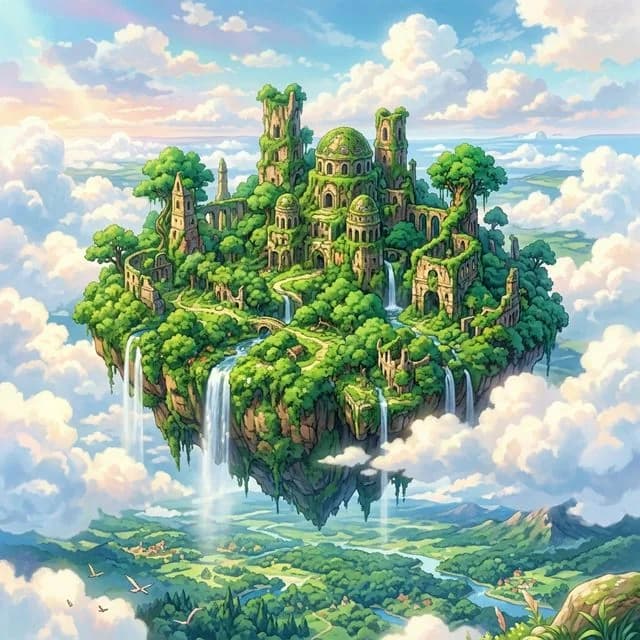
Studio Ghibli Landscape
Hand-painted aesthetic, vibrant greens, soft heavenly lighting

Isometric Micro World
Octane render, global illumination, raytraced reflections, high poly
Frequently Asked Questions
What is a text to prompt generator?+
A text to prompt generator takes your simple text idea and transforms it into a structured, optimized AI prompt text with proper styling keywords, lighting parameters, camera angles, and model-specific syntax for maximum generation quality across Midjourney, DALL-E 3, and Stable Diffusion.
How is a prompt text generator different from just typing?+
A prompt text generator structures your input using the Four Pillars of Prompting: subject, environment, illumination, and fidelity markers. This ensures every AI generation uses mathematically weighted tokens rather than vague natural language descriptions that models struggle to interpret.
Does the text prompt generator work with DALL-E and Midjourney?+
Yes. Our text prompt generator optimizes your AI prompt text for all major models including DALL-E 3, Midjourney v6, Stable Diffusion XL, and Flux. It includes model-specific syntax, negative prompts, and parameter weighting automatically.
Is the text to prompt tool free to use?+
Yes, you can use our text to prompt generator for free with 5 optimizations per day. This is enough for personal projects and experimentation. Premium plans unlock unlimited AI prompt text generation for professional workflows.
Can I edit the generated AI prompt text?+
Absolutely. The output of our prompt text generator is fully editable. We recommend using it as a starting point, then adding your own creative modifiers. The structured format ensures any manual additions maintain proper token weighting.
How many words should my input text be?+
Our text to prompt engine works best with inputs between 5 and 30 words. Shorter inputs produce broader creative interpretations, while longer, more specific inputs generate tightly focused AI prompt text optimized for exact reproduction.