AI Photo Generator & Editor
Generate hyper-realistic AI photos — 35mm film, studio lighting, cinematic depth of field.
Describe the Shot, Skip the Shoot
No upload, no repair work, no correction layers like a traditional AI photo editor requires. You write the photograph you want in the language a photographer would use, and the generator renders it photorealistically, right in your browser.
Brief the Camera in Words
Describe subject, setting, and technique the way you would brief a photographer: an 85mm portrait at dusk, a nature macro under diffused light, a product on seamless white with softbox lighting. Film stock references work too.
Choose Your Model and Frame
Select Stable Diffusion XL for balanced, detail-rich compositions or Flux.1 Schnell for hyper-realistic textures at speed, then pick the aspect ratio your layout needs before you generate.
Render, Review, Download
Watch the diffusion steps resolve into a finished photorealistic image. Download it immediately, or compare it against earlier renders in your session history and refine the prompt for another pass.
Photographic Language Is the New Editing Suite
A conventional AI photo editor starts with a flawed image and works backward, correcting exposure, recovering shadows, masking away distractions. This tool inverts that logic. You specify the photograph you actually wanted: an 85mm portrait with shallow depth of field, a landscape soaked in golden hour warmth, a tabletop product scene lit by a single softbox. Stable Diffusion XL or Flux.1 Schnell then renders that description photorealistically from scratch. Because the camera, lens, and lighting exist only as words, nothing arrives out of focus, underexposed, or badly framed unless you wrote it that way.
Photographic vocabulary is the control surface here. Focal lengths shape perspective: 24mm exaggerates space, while 135mm compresses a background flatteringly behind a subject. Naming classic film stocks pulls an entire color palette into the render with a few words, and lighting cues like hard rim light or diffused window glow steer mood as precisely as any slider. When a finished image is ready to publish, run it through our AI alt text generator so it ships with an accessible, search-friendly description. In this workflow, the writing is the shoot and the generation is the delivery.
- Camera and lens vocabulary steers every render
- Stable Diffusion XL and Flux.1 Schnell
- Golden hour and softbox lighting on demand
Three Workflows That Swap Shooting for Describing
Teams that once budgeted hours inside an AI photo editor or a studio calendar now write the frame they need instead. Here is where generated photography earns its place.
E-Commerce Sellers
Generate product-style shots with clean softbox lighting and controlled reflections, testing new backdrops and angles without booking a studio session.
Lifestyle Brand Marketers
Produce warm lifestyle scenes, like a latte on a rustic cafe table, that match a brand's feed aesthetic without scouting locations or hiring models.
Bloggers & Publishers
Illustrate articles with nature macro renders, dew on a spiderweb or telephoto wildlife, in exact aspect ratios that fit page templates.
Generation vs. Editing Suites vs. Stock Libraries
When you need one specific photorealistic image, the classic routes are hours inside an AI photo editor or a long hunt through stock catalogs. Here is how describing the shot and generating it compares.
| Feature | ImaginPrompt | Desktop Editing Suites | Stock Photo Sites |
|---|---|---|---|
| Starting point | ✅ A written brief of the exact shot | An existing photo that needs fixing | Someone else's finished frame |
| Lens, lighting, and framing control | ✅ Set focal length, light, and ratio in text | ⚠️ Limited to what the camera captured | ❌ Fixed at the moment of the shoot |
| Getting started | ✅ Browser-based, nothing to install | ⚠️ Installation and a steep learning curve | ⚠️ Searching and licensing before use |
An editing suite refines what a camera already captured, and stock libraries sell what someone else framed. When the image you need does not exist yet, generation starts from your exact brief instead of a compromise.
Prompt Techniques for Convincing Photorealism
💡 Lead with one lens and one light
Anchor each prompt with a single focal length and a single light source, such as 100mm macro under diffused morning light. Stacking several lighting cues confuses the diffusion process and flattens the photorealism you are after.
💡 Match the model to the texture
Switch to Flux.1 Schnell when fine surface detail matters, like fur, condensation, or fabric weave, and use Stable Diffusion XL for broader scenes where composition and color balance carry the image.
Photorealistic Prompts You Can Generate Right Now
Every image below was generated from the exact prompt text shown, with no retouching afterward. Notice how camera and lighting vocabulary does the heavy lifting, then borrow the structure for your own scene.
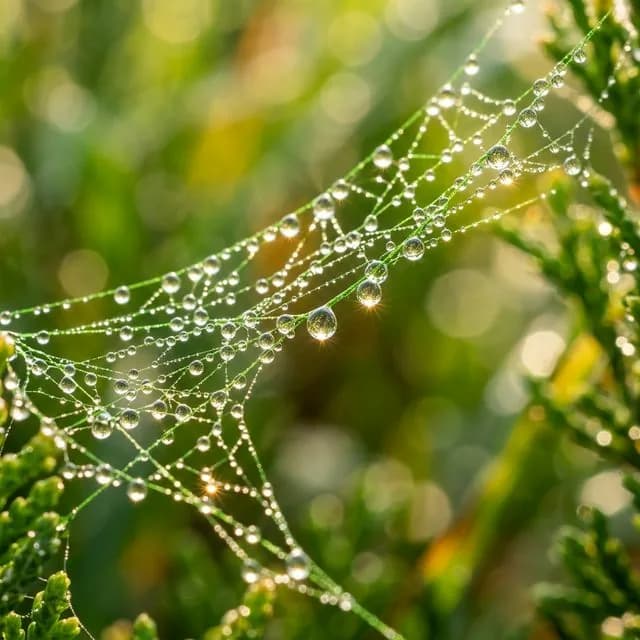
Macro Dew Drops
Sparkling light reflections, blurred bokeh background, highly detailed water surface tension
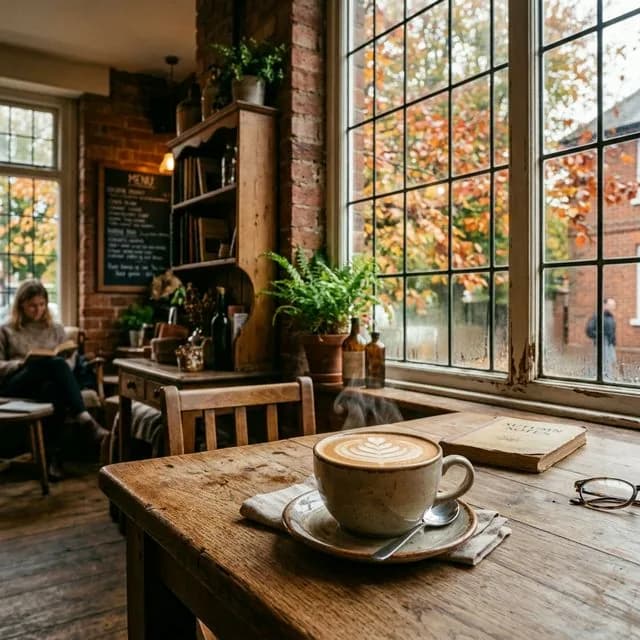
Rustic Coffee Shop
Film photography aesthetic, 35mm
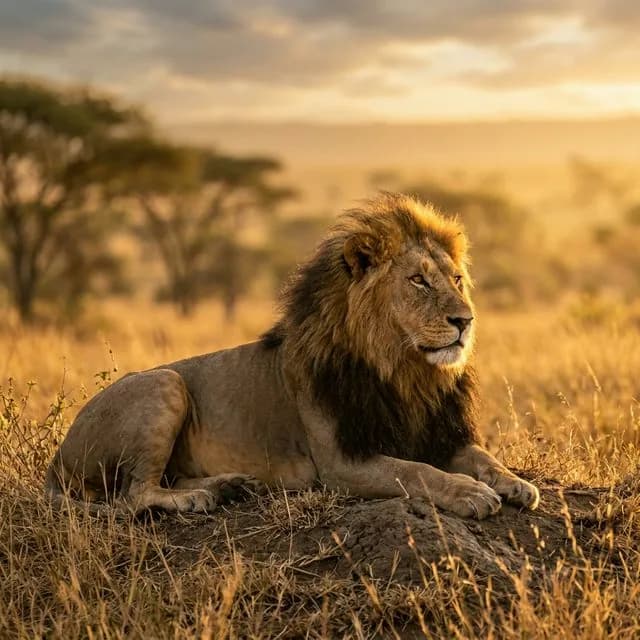
Lion of the Savanna
Beautiful warm backlighting, hyper-detailed fur
Frequently Asked Questions
Is this an AI photo editor that changes photos I upload?+
No. Despite the familiar name, this tool does not retouch existing files. It generates brand-new photorealistic images from your written description, so instead of fixing a flawed photo you describe the flawless one and render it directly in your browser, no download required.
Which models power the photo generation?+
You can switch between Stable Diffusion XL and Flux.1 Schnell before each render. SDXL is a versatile all-rounder for composition and color, while Flux.1 Schnell resolves quickly and excels at specific textures such as skin, fur, and fabric. Your session history records which model produced each image.
How do I make renders look like real photographs instead of digital art?+
Borrow photography language. Name a focal length, an aperture feel like shallow depth of field, a light source such as golden hour or a softbox, and optionally a film stock. These cues push the model toward camera-native qualities: natural grain, believable bokeh, and accurate highlight falloff.
Is the AI photo generator free to use?+
Yes. Each account carries a daily set of complimentary credits, and every shot is rendered inside the browser with no setup at all. Write a brief, pick a model and aspect ratio, and generate. The allowance refreshes every day, plenty for testing lens and lighting styles before committing to a larger project.
Learn More
Explore More AI Tools
AI Art Generator
Turn imaginative concepts into painterly and stylized artwork when realism is not the goal.
Text to Image Generator
Convert any written idea into finished visuals across a wide range of styles.
Image to Prompt Generator
Reverse-engineer a reference photo into a reusable prompt you can tweak and regenerate.