Prompting•8 min read
Negative Prompts: A Practical Guide (2026)
Most prompt guides only tell you what to put IN your image. But half of getting a clean result — especially on Stable Diffusion — is telling the model what to keep OUT. That's the negative prompt: a short list of failure modes to avoid. This guide explains what to put in one, how to weight it, which models actually use it, and shows a real before/after so you can see exactly what it does.
TL;DR: A negative prompt lists what to exclude (blurry, bad hands, watermark, text…). It matters most on Stable Diffusion; Midjourney uses --no for the same job; Flux and DALL·E don't use negatives. Start with the standard default below and only add to it when you see a specific problem.
What a negative prompt is
A negative prompt is a separate field (or flag) that names concepts you want the model to move away from. While your main prompt pulls the image toward what you describe, the negative prompt pushes it away from common failures — mangled hands, blur, compression artifacts, stray watermarks and text. On Stable Diffusion the two run at the same time during generation, which is why a good negative can visibly clean up a result without changing your subject at all.
See the difference: same prompt, with vs without
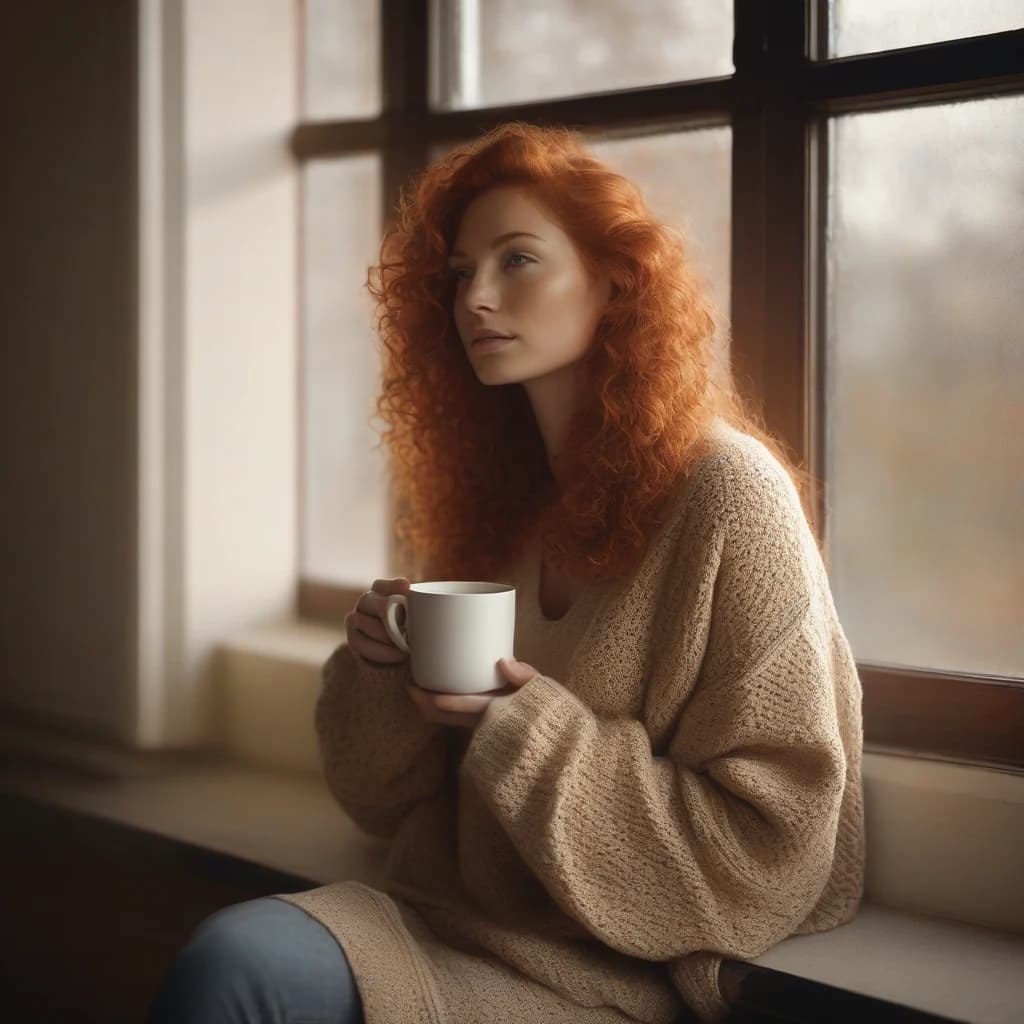
Here's the real Stable Diffusion prompt our tool returned for a cozy portrait — a quality preamble, a subject line and a tag list — paired with the standard negative it appends. (The tag list ran long, so it's trimmed here; the Stable Diffusion guide explains why fewer, stronger tags win.)
(masterpiece, best quality, highly detailed:1.2) A serene scene unfolds as a woman sits by a window, cradling a white mug in her hand. Her curly red hair cascades down her back, complemented by a beige knit sweater that adds warmth to the atmosphere.
film grain, volumetric lighting, shallow depth of field, warm tones, soft focus, cozy ambiance, natural light, gentle shadows, subtle textures, …
Negative prompt: (worst quality:1.4), (low quality:1.4), (normal quality:1.2), lowres, blurry, jpeg artifacts, bad anatomy, bad hands, extra fingers, missing fingers, watermark, signature, text, ugly, deformed
film grain, volumetric lighting, shallow depth of field, warm tones, soft focus, cozy ambiance, natural light, gentle shadows, subtle textures, …
Negative prompt: (worst quality:1.4), (low quality:1.4), (normal quality:1.2), lowres, blurry, jpeg artifacts, bad anatomy, bad hands, extra fingers, missing fingers, watermark, signature, text, ugly, deformed
We rendered that prompt twice — once with the negative removed, once with it applied. Everything else is identical:
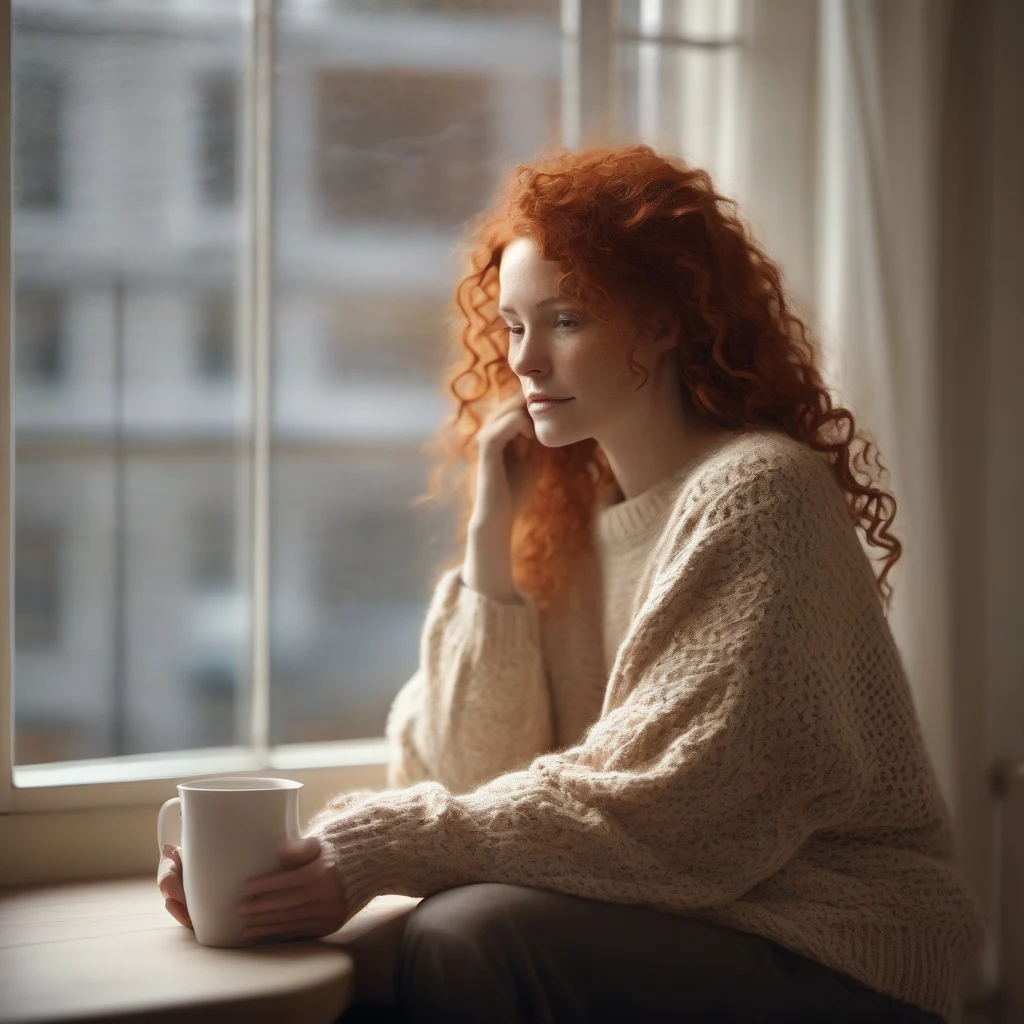
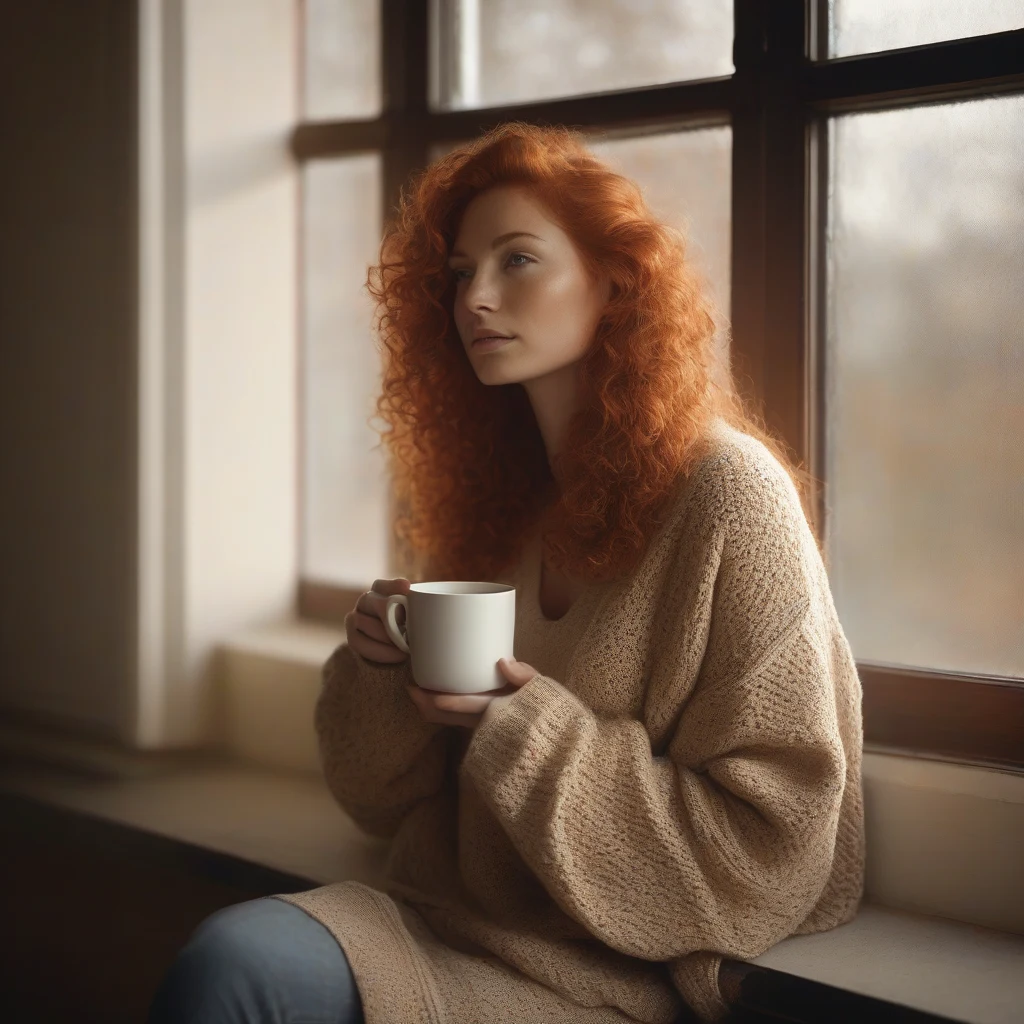
The difference is subtle but real — and it's exactly where you'd expect. Look at the hands on the mug: with the negative, the fingers are better defined and the whole image looks a touch more polished. That's the negative prompt doing its quiet job: removing the failure modes Stable Diffusion is prone to, without touching your actual subject.
What to put in a negative prompt
Think in three groups, not one long pile:
Add an unwanted *style* term (e.g. cartoon, 3d) only if that look keeps appearing when you don't want it.
Here's a strong default you can copy straight into Stable Diffusion's negative field:
(worst quality:1.4), (low quality:1.4), (normal quality:1.2), lowres, blurry, jpeg artifacts, bad anatomy, bad hands, extra fingers, missing fingers, watermark, signature, text, ugly, deformed
Weighting negatives
On Stable Diffusion the (term:weight) syntax works in the negative prompt too. (blurry:1.4) tells the model to avoid blur more aggressively than a plain tag would. Keep negative weights moderate — roughly 1.2 to 1.5 — because over-weighting a negative steals guidance from your positive prompt and can distort the image. A couple of weighted negatives beat a wall of plain ones. (For more on weighting and SD structure generally, see the Stable Diffusion prompts guide.)
Negative prompts across models
Not every model uses negatives the same way — or at all:
| Model | Negative prompts? | How you do it |
|---|---|---|
| Stable Diffusion | Yes — important | A separate negative field |
| Midjourney | Yes | --no text, watermark (inline) |
| Flux | No | Describe what you DO want |
| DALL·E 3 | No | Describe what you DO want |
So a negative prompt is mainly a Stable Diffusion skill, with Midjourney's --no as the close cousin. On Flux and DALL·E, the move is the opposite: be more specific in the positive prompt rather than reaching for a negative.
The mistakes that backfire
Get a prompt with a ready-made negative
You don't have to assemble negatives by hand. The Image to Prompt tool's Stable Diffusion mode returns a full prompt with a sensible negative already attached, and the Stable Diffusion prompt generator builds one from a short description. Generate, keep the default negative, and adjust only when a specific issue shows up.
Get a Stable Diffusion prompt with a built-in negative — free. Upload any image and the tool returns the positive prompt and a matching negative, no signup required. Open the Stable Diffusion prompt generator →
A negative prompt is the easiest upgrade in all of prompting: one reusable line that quietly removes the most common failures. Keep a focused default, weight a term only when you see the problem it fixes, and remember it's mainly an SD (and Midjourney --no) tool. Do that, and a whole category of bad outputs simply stops happening.
I
ImaginPrompt
Prompt Engineering Team
Frequently Asked Questions
What is a negative prompt?
It's a separate list of things you want the model to keep OUT of the image — like blurry, bad hands, extra fingers, watermark or text. Where your main prompt says what to include, the negative prompt says what to avoid, and the model steers away from those concepts.
Do I always need a negative prompt?
Mainly on Stable Diffusion, where it noticeably improves results. Midjourney uses its own --no flag for the same job. Flux and DALL·E 3 don't really use negatives — you steer those by describing what you do want instead.
What should I put in a negative prompt?
Group it into: quality (worst quality, low quality, lowres, jpeg artifacts, blurry), anatomy (bad hands, extra fingers, missing fingers, deformed, bad anatomy), and unwanted extras (watermark, signature, text). Add a style term only if a specific look keeps creeping in.
Can I weight terms in a negative prompt?
On Stable Diffusion, yes. The same (term:weight) syntax works: (blurry:1.4) pushes the model harder away from blur. Keep weights moderate — around 1.2 to 1.5 — since over-weighting a negative can distort the rest of the image.
Does Midjourney have negative prompts?
Yes, via the --no parameter. Add --no text, watermark at the end of your prompt to exclude those. It's Midjourney's equivalent of a negative prompt, just written inline rather than in a separate field.
Do Flux and DALL·E 3 use negative prompts?
Not really. The fast Flux models and DALL·E 3 don't take a CFG-style negative prompt. With those, if something unwanted appears, you fix it by rewriting the positive prompt to be more specific rather than adding a negative.
Can a negative prompt make my image worse?
Yes. Piling in fifty negatives, or negating things that were never in the scene, wastes attention and can flatten the result. Use a focused default and only add a term when you actually see the problem it fixes.
What is a good default negative prompt for Stable Diffusion?
A reliable starting point is: (worst quality:1.4), (low quality:1.4), (normal quality:1.2), lowres, blurry, jpeg artifacts, bad anatomy, bad hands, extra fingers, missing fingers, watermark, signature, text, ugly, deformed. Tweak from there.
How do negative prompts actually work?
During generation the model is pulled toward your prompt and pushed away from the negative one at the same time. Technically it's the guidance step working in reverse on the negative terms — which is why the technique is strongest on models like Stable Diffusion that expose that guidance.