Stable Diffusion Prompt Generator & Enhancer
Generate optimized SDXL prompts with auto keyword weighting, negative prompts & Booru-style tags.
From Plain Idea to Weighted SD Syntax
Describe what you want to see and this Stable Diffusion prompt generator handles the engineering: ordered tags, (keyword:1.2) emphasis weights, and a weighted quality prefix, all built in your browser in seconds.
Type Your Idea
Enter a plain-language concept, anything from 'rainy cyberpunk alley' to a full scene brief. You can write in your own language and still receive optimized English output.
Magic Enhance Builds the Syntax
One click restructures your idea into SD-friendly token order, leads with a weighted quality block like (masterpiece, best quality, highly detailed:1.2), and applies emphasis weights to the elements that define the shot.
Copy Into Your SD Interface
Paste the result straight into AUTOMATIC1111, ComfyUI, or Forge. Need changes? Switch to Edit mode and adjust the prompt with plain instructions instead of rewriting tags by hand.
What Model-Aware Prompt Engineering Means for Stable Diffusion
Stable Diffusion reads prompts as token sequences, and every token competes for attention during denoising. Type 'detailed castle, dramatic lighting' into a plain text box and the sampler treats both phrases as equals. Our Stable Diffusion prompt generator restructures your idea into weighted syntax, applying emphasis like (dramatic lighting:1.2) so the parts you care about actually steer the diffusion process. It orders tags from subject to style the way SD checkpoints were trained to expect, front-loading the tokens that matter most and trimming the filler words that dilute attention.
Rather than juggling a different dialect for every checkpoint, the generator produces one proven structure that SD 1.5, SDXL, and Booru-trained anime models all parse reliably: a weighted quality prefix, (masterpiece, best quality, highly detailed:1.2), followed by a one-sentence subject description and ten heavily weighted, comma-separated aesthetic tags that capture the visual details of your scene: lighting, texture, and mood. Because the format stays consistent from run to run, you always know exactly where to tighten a weight, swap a style tag, or drop in a trigger word. If you are starting from a picture instead of an idea, our reverse image prompt finder extracts the visual details from the source image first.
Everything you generate is copy-paste ready for AUTOMATIC1111, ComfyUI, and Forge, since all three interpreters honor the same (keyword:weight) emphasis convention. The structured output leaves clean insertion points for LoRA trigger words, so you can drop in custom style loaders without breaking token order. And because a well-weighted prompt needs less guidance pressure, you can run moderate CFG scale values, typically 5 to 8, instead of cranking guidance so high that colors burn and contrast clips. Type the idea once, then spend your GPU time iterating on seeds rather than rewriting tags.
- Automatic (keyword:1.2) emphasis weighting
- Weighted quality prefix on every prompt
- Booru tag stacks for anime checkpoints
- Paste-ready for AUTOMATIC1111, ComfyUI, and Forge
Six Workflows Built on Weighted SD Prompts
From checkpoint tinkerers to production teams, these are the people who turn typed ideas into weighted Stable Diffusion syntax every day.
Anime Artists
Generate Booru-style tag stacks tuned for anime checkpoints, complete with a weighted quality prefix that steers renders toward sharp, coherent detail.
Concept Artists
Turn a one-line brief into a weighted SDXL prompt, then iterate on seeds instead of rewriting tags between every render.
ComfyUI Node Builders
Feed structured, pre-weighted prompt text into CLIP Text Encode nodes without hand-balancing emphasis weights across complex workflow graphs.
Game Asset Creators
Produce consistent prompt templates for sprites, environments, and character sheets, swapping subjects while the weighted style block stays locked.
LoRA Trainers
Draft consistently ordered test prompts for custom LoRA models, keeping trigger words cleanly separated from base subject and style tags.
SD Beginners
Skip months of trial and error. Study each generated output to see how experienced prompters weight tokens and order tag stacks.
Typed Ideas vs. Hand-Built Tag Stacks
Prompt quality decides render quality in Stable Diffusion. Here is how a purpose-built Stable Diffusion prompt generator compares with writing tags yourself or reaching for a model-agnostic prompt tool.
| Feature | ImaginPrompt | Manual Tag Writing | Generic Prompt Tools |
|---|---|---|---|
| Token weighting syntax | ✅ Applies (keyword:1.2) emphasis automatically | ⚠️ Trial-and-error tuning by hand | ❌ Usually plain text only |
| Quality tag prefix | ✅ (masterpiece, best quality:1.2) leads every prompt | ⚠️ Easy to forget mid-session | ❌ No SD quality tags at all |
| Consistent prompt structure | ✅ Same weighted tag stack every run | ⚠️ Structure drifts between sessions | ❌ Freeform text with no ordering |
| Booru tag conventions | ✅ Supported for anime checkpoints | ⚠️ Requires memorizing tag lists | ❌ Not checkpoint-aware |
| Time per usable prompt | ✅ Seconds from a plain idea | ⚠️ Minutes of manual tweaking | ⚠️ Fast but needs SD fixes |
| Room for LoRA triggers | ✅ Clean insertion points preserved | ✅ Full manual control | ⚠️ Triggers can break structure |
Hand-written tags give you total control but cost time and expertise; generic tools save time but ignore SD syntax. This generator combines both: weighted, consistently structured prompts in seconds, with every token still yours to edit.
Techniques for Sharper Stable Diffusion Renders
💡 Keep weights between 0.8 and 1.4
Values above 1.5 distort composition and burn colors. If an element still refuses to appear at (keyword:1.4), rephrase it or move it earlier in the prompt instead of raising the weight further.
💡 Adapt the tag stack to your checkpoint
The generated weighted tag stack works as-is on SD 1.5 and Booru-trained anime models. For SDXL, which also handles fuller sentences, you can use Edit mode to relax some tags into phrases. Mismatched formats are a common cause of muddy, off-brief renders.
💡 Pair strong prompts with moderate CFG
A well-weighted prompt needs less guidance. Start around CFG 6 to 7 for SDXL; if you find yourself pushing past 10, the prompt usually needs fixing, not the scale.
💡 Place LoRA triggers after the subject block
Insert trigger words immediately after your subject description, before the weighted style tags. This keeps the LoRA steering the subject without fighting the aesthetic keywords that follow in the stack.
Anime-Ready Prompt Structures From Our Gallery
These gallery pieces mirror the structure this Stable Diffusion prompt generator produces: a clear subject block, a grounded setting, and a style tail you can weight, swap, or extend.
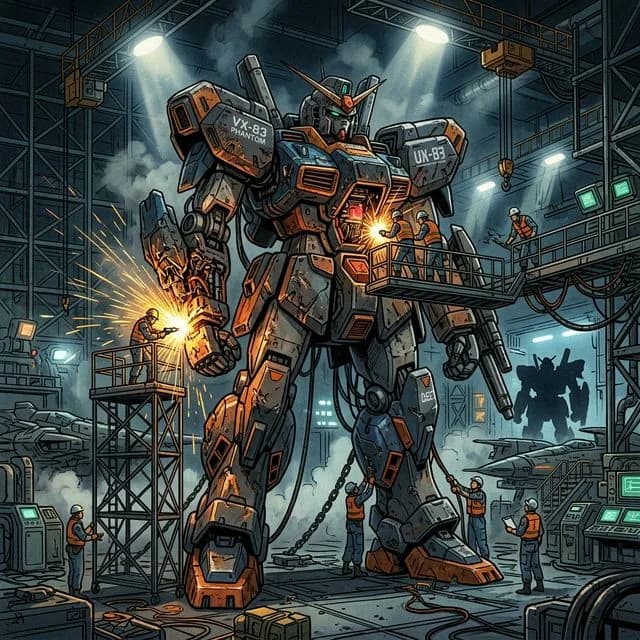
Mecha Repair Hangar
classic 90s anime aesthetic, cell shaded

Magical Girl Scene
pastel pinks and purples, ethereal and elegant anime art
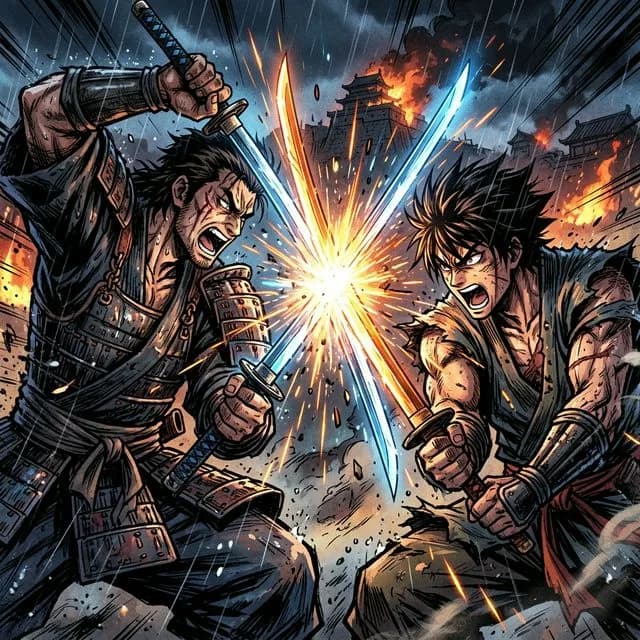
Dynamic Sword Clash
sharp ink shading, vivid colors, intense facial expressions
Frequently Asked Questions
What does the (word:1.2) weighting syntax actually do?+
It multiplies the attention weight of that token during denoising, making the model prioritize it. A value of 1.2 gives 20 percent more emphasis; 0.8 reduces it. Our generator applies these weights automatically to the elements that define your scene, so you rarely need to tune them by hand.
Does the generator also write a negative prompt?+
No. Each result is a single optimized positive prompt that leads with a weighted quality block, (masterpiece, best quality, highly detailed:1.2), which on its own steers checkpoints away from many low-quality outputs. For stubborn artifacts like extra fingers or watermark text, keep a reusable negative list saved in AUTOMATIC1111 or ComfyUI and pair it with every render.
Should I use tag-style or natural-language prompts?+
Tag-style is the safer default. SD 1.5 and most anime models were trained on tag-like captions, and SDXL parses weighted comma-separated tags just as reliably as full sentences. That is why the generator produces one consistent structure for every request: a weighted quality prefix, a one-sentence subject description, and ten weighted aesthetic tags. If you prefer flowing sentences for an SDXL render, use Edit mode to relax the tags into phrases.
Can I add LoRA trigger words to the generated prompt?+
Yes. The output is plain text, so you can insert trigger words wherever your LoRA's documentation recommends, typically right after the subject description. Because the generator keeps subject and style blocks in a predictable order, triggers slot in cleanly without disturbing the existing emphasis weights.
Will these prompts work in AUTOMATIC1111, ComfyUI, and Forge?+
Yes. All three interfaces support the same (keyword:weight) emphasis syntax, so the generated prompt pastes directly into the prompt field. ComfyUI users can drop the text into the positive CLIP Text Encode node feeding their sampler without any conversion.
Does the Stable Diffusion prompt generator cost anything?+
All users receive free daily credits, and everything runs in the browser with nothing to download or install. That allowance covers regular prompt-building sessions; you spend your own GPU time only when you render the results in your local Stable Diffusion setup.
How does CFG scale interact with the prompt?+
CFG scale controls how strictly the sampler follows your prompt. Weighted, well-ordered prompts hold up at moderate values, roughly 5 to 8 on SDXL, which preserves natural color and contrast. Weak prompts force you to raise guidance for compliance, and high CFG introduces oversaturation that no negative prompt can fully repair.
Do I need to write anything technical, or just describe the image?+
Just describe the picture. Type the subject, setting, and mood in plain words, in whatever phrasing feels natural. The generator handles the technical layer: token order, emphasis weights, and quality tags. Concrete nouns and specific adjectives in your idea produce noticeably more targeted tag stacks.
Learn More
Explore More AI Tools
Midjourney Prompt Generator
Build parameter-rich Midjourney prompts with aspect ratio and stylize flags from plain ideas.
Reverse Image Prompt Finder
Upload any image and recover the prompt-style description that would recreate it.
DALL-E 3 Prompt Generator
Turn short ideas into detailed natural-language prompts tuned for DALL-E 3 rendering.