DALL-E 3 Prompt Generator
Transform ideas into optimized DALL-E 3 prompts with natural language, spatial cues & style descriptors.
From One-Line Idea to Optimized DALL-E 3 Prompt
DALL-E 3 responds to rich natural language rather than parameter flags, so the quality of your description decides the quality of your image. Type a short idea and this DALL-E 3 prompt generator expands it into a fully described scene, from subject and composition to lighting and mood, ready to paste wherever you run OpenAI's image models.
Type Your Idea
Start with a plain-English concept, even just a few words like 'a lighthouse in a storm.' Fragments, full sentences, and non-English input all work as starting points.
AI Expands It for DALL-E 3
The engine rewrites your idea as descriptive prose tuned to how DALL-E 3 reads prompts: a concrete subject, spatial relationships, lighting, and a clearly stated artistic style, all in one flowing paragraph.
Copy It Anywhere DALL-E Runs
Copy the finished prompt straight into ChatGPT, the OpenAI API, or any app built on DALL-E 3 or gpt-image-1. Not quite right? Regenerate or edit the text and go again.
Why DALL-E 3 Rewards Rich Description, Not Flags
Midjourney has aspect ratio switches and Stable Diffusion has negative prompts, but DALL-E 3 accepts none of those controls. Every instruction must live inside the sentence itself, written as plain description: where the light falls, what sits in the foreground and what recedes behind it, and the mood that holds the scene together. That is why terse prompts underperform. A generator built for DALL-E 3 writes the missing detail for you, expanding 'a lighthouse in a storm' into a paragraph that specifies the waves, the weather, the light, and the mood in precise natural language.
When you type a short prompt into ChatGPT, the assistant quietly expands it before DALL-E 3 ever sees it, and you rarely learn what changed. Feeding it an already optimized prompt keeps that hidden rewrite to a minimum, so the finished image reflects your creative choices instead of the model's guesses. This tool runs on the same engine as our text to prompt generator, tuned specifically for the flowing descriptive prose that DALL-E 3 rewards rather than the flag-heavy syntax other models expect.
DALL-E 3 also stands out for rendering readable text inside images when the prompt quotes the exact wording, a technique worth using whenever your idea involves signage, posters, covers, or labels: put the words in quotation marks in your idea, then check the finished prompt still carries them verbatim, since the output is plain editable text and takes seconds to adjust. And because that output uses no proprietary syntax, the same prompt transfers cleanly to gpt-image-1, OpenAI's newer image model, which follows detailed written instructions even more closely. Write the prompt once and reuse it across the whole OpenAI image stack.
- Flag-free descriptive prose DALL-E 3 reads natively
- Lighting, style, and spatial cues written in
- Keeps ChatGPT's silent rewrites to a minimum
- Scenes described as physical reality to dodge DALL-E's cartoon bias
Who Gets the Most From a DALL-E 3 Prompt Generator
Anyone who generates images through ChatGPT or the OpenAI API can skip the trial-and-error phase. These are the workflows where expanded, art-directed prompts pay off fastest.
Illustrators & Concept Artists
Lock in style, palette, and composition before spending a single generation by turning thumbnail-level ideas into fully art-directed prompts.
Bloggers & Content Writers
Describe an article's topic in one sentence and receive a header-image prompt with consistent editorial framing, mood, and color direction.
Marketing & Social Teams
Expand rough creative briefs into prompts that name the focal product, setting, and mood clearly enough to stay on brand.
Poster & Cover Designers
Build the full visual direction from a one-line concept, then add your headline in quotation marks — quoted exact wording is the phrasing DALL-E 3 responds to best for legible lettering.
Storyboarders & Filmmakers
Convert scene notes into prompts that spell out blocking, setting, and lighting direction for every scene you need to visualize.
Teachers & Course Creators
Type a lesson concept and copy a finished prompt for diagrams, historical scenes, and classroom visuals, no prompt engineering required.
A Dedicated Generator vs. Other Ways to Prompt DALL-E 3
Most people prompt DALL-E 3 by typing directly into ChatGPT or borrowing from template libraries. Both approaches work; here is what changes when a purpose-built generator writes the prose.
| Feature | ImaginPrompt | Raw ChatGPT Prompting | Prompt Template Sites |
|---|---|---|---|
| Starting point | ✅ A few plain words | A prompt you write yourself | Browsing for a close-enough template |
| Who controls the wording | ✅ You see and edit every sentence | ⚠️ ChatGPT silently rewrites short prompts | ⚠️ Locked to the template author's phrasing |
| DALL-E 3 prose optimization | ✅ Descriptive natural language, no parameter flags | Only as strong as your own phrasing | ⚠️ Many templates use Midjourney-style flag syntax |
| Scene detail (lighting, composition, mood) | ✅ Written in automatically | Added only if you think to ask | Varies by template |
| Fit to your specific idea | ✅ Generated fresh for every request | Fully custom, but manual | ❌ Generic until you rework it |
| In-image text phrasing | ✅ Editable prose makes your quoted wording easy to verify | ⚠️ Hit-or-miss without careful phrasing | ❌ Rarely covered |
Raw ChatGPT prompting works if you already write detailed prose, and template sites can spark ideas. A dedicated DALL-E 3 prompt generator combines both strengths: custom-fit detail generated in seconds, with the final wording always visible and editable.
Prompting Techniques That Unlock DALL-E 3
💡 Lead with the medium
Start your idea with the format you want, such as 'watercolor illustration' or '35mm street photo.' The generator anchors the entire expanded prompt around that medium, keeping every added detail stylistically consistent.
💡 Put rendered text in quotation marks
If your image needs words on a sign, cover, or label, wrap them in quotes inside your idea — quoted wording is DALL-E 3's cue to render a string verbatim. Before you paste the finished prompt, check the quotes survived the expansion and edit them back in if the wording drifted.
💡 Say the shape in words, not flags
DALL-E 3 outputs square, wide, or tall images and ignores flag syntax like --ar. Mention 'wide cinematic banner' or 'tall poster format' in your idea so the composition language matches the canvas you will request.
💡 Describe presence, not absence
DALL-E 3 has no negative prompts, so phrase your idea in positives from the start. Instead of typing 'no people,' write 'an empty street at dawn.' Positive wording gives the expansion concrete detail to build on and gives the model something it can actually depict.
DALL-E 3 Prompts Behind Real Gallery Images
Every image below was created with DALL-E 3 from the exact prompt structure shown. Study how subject, setting, and style tail fit together, then feed your own idea to the DALL-E 3 prompt generator above.
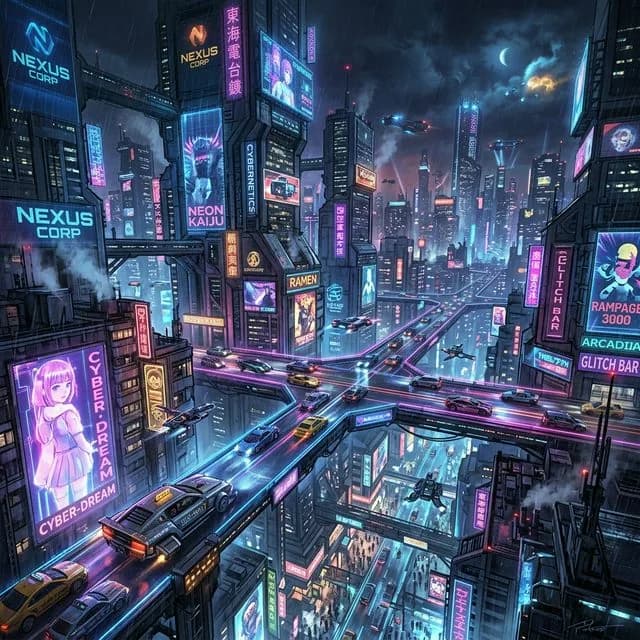
Cyber Cityscape Illustration
Dense atmosphere, cinematic composition, trending on ArtStation
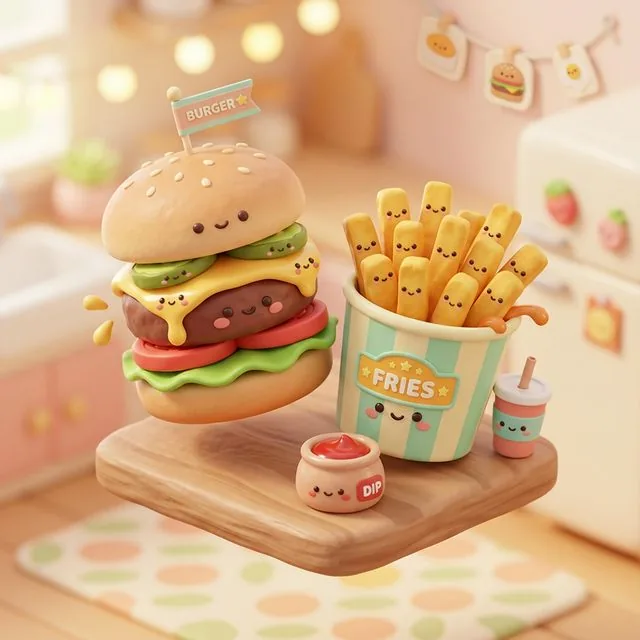
Kawaii 3D Burger
Soft pastel clay materials, glossy textures, octane render, cozy lighting
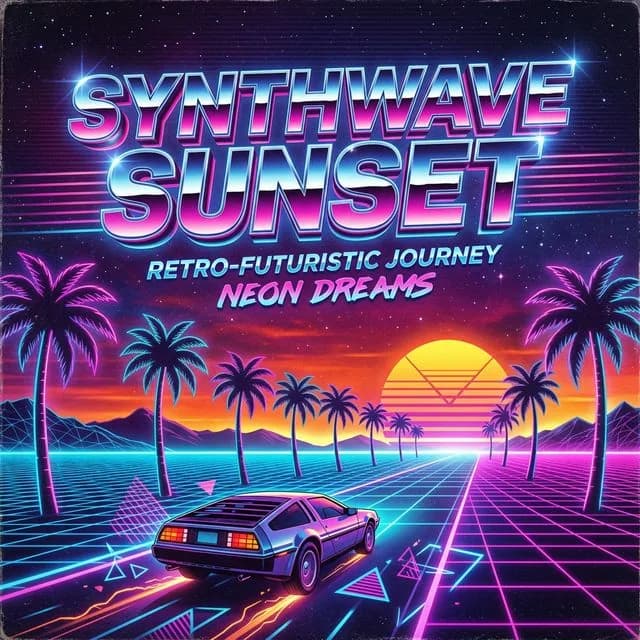
Retrowave Sunset Grid
Glowing sunset, outrun vaporwave aesthetic, vibrant neon colors
Frequently Asked Questions
What does the DALL-E 3 prompt generator actually do?+
You type a short idea and the tool rewrites it as a detailed natural-language prompt structured the way DALL-E 3 reads best: clear subject, spatial layout, lighting, mood, and artistic style. You then copy that prompt into ChatGPT or the OpenAI API to generate the image.
Will this create the picture, or only the prompt?+
The output here is the prompt text itself, which you can paste into any DALL-E 3 interface you already use. That keeps you in control of where and how the image gets made. If you want to render the result without leaving ImaginPrompt, drop your finished prompt into our Text to Image tool.
Why not type my idea straight into ChatGPT?+
You can, but ChatGPT expands terse prompts on its own and rarely shows you the rewrite, so results drift from your intent. Starting from an already detailed prompt leaves far less room for silent changes and makes good results easier to reproduce, tweak, and share with teammates.
Why doesn't DALL-E 3 support flags like --ar or negative prompts?+
OpenAI designed DALL-E 3 around plain natural language rather than parameter syntax, so format, exclusions, and style strength all have to be expressed as written description. That is exactly what this generator produces, which means you never need to memorize model-specific flags to get controlled results.
Can DALL-E 3 render readable text inside images?+
Yes, it is one of the stronger models for legible in-image text, provided the prompt quotes the exact wording. Wrap the words you need in quotation marks in your idea, then confirm the finished prompt still carries them verbatim before you paste it — the output is plain editable text, so fixing drifted wording takes seconds.
Will these prompts work with gpt-image-1?+
Yes. gpt-image-1, OpenAI's newer image model, also works from descriptive natural-language prompts, so output from this tool carries over without modification. Detailed prose tends to help it even more, since the model follows written instructions closely and benefits from the same structured scene description.
Is this free, or do I need ChatGPT Plus?+
No paid ChatGPT plan is needed to build prompts here. Prompt construction draws on a daily allowance of complimentary credits and happens fully in-browser with no setup. A DALL-E 3 access point, such as ChatGPT or the API, is only required later, once you are ready to generate the actual image.
How detailed should my starting idea be?+
A few words is enough to start, but every concrete detail you add, like time of day, mood, or medium, steers the expansion. Treat your input as art direction: state anything non-negotiable, and let the generator handle the descriptive heavy lifting around it.
Learn More
Explore More AI Tools
Midjourney Prompt Generator
Build Midjourney-ready prompts complete with aspect ratio, stylize, and version parameters.
Stable Diffusion Prompt Generator
Create weighted SDXL prompts with automatic negative prompts for cleaner Stable Diffusion renders.
Text to Image Generator
Paste your finished prompt and render the image right here in your browser.