Midjourney Prompt Generator
Generate perfect Midjourney v6 prompts from any image. Our AI extracts styles, parameters, and details automatically.
From Reference Image to Midjourney Prompt in Three Steps
Skip the guesswork of translating a visual reference into Midjourney's compact grammar. This Midjourney prompt generator works in any browser with nothing to install: upload a picture, and the AI hands back a paste-ready prompt with the parameter flags already attached.
Upload Your Reference Image
Drag in any photo, render, or artwork you want Midjourney to emulate. The tool works in any browser, so there is nothing to install and no Discord login required.
AI Decodes It Into Midjourney Syntax
The engine identifies subject, setting, lighting, and artistic style, then rebuilds them as a Midjourney-formatted prompt with suggested flags like --ar for aspect ratio and --stylize for aesthetic strength.
Paste Into Discord or the Web Editor
Copy the finished prompt string and drop it into /imagine in Discord or the Midjourney web editor. Adjust --v 6, --v 7, or --niji before you run it.
Built for Midjourney's Grammar, Not Generic Captions
Midjourney does not parse prompts the way other diffusion models do. It rewards short, vivid phrasing up front and precise parameter flags at the end: --ar for aspect ratio, --stylize for aesthetic strength, --chaos and --weird for controlled unpredictability, and --v 6 or --v 7 to pin the model version. Our Midjourney prompt generator reads your uploaded image and writes in that exact grammar, placing subject and scene first, style descriptors next, then a parameter tail you can paste straight into Discord or the Midjourney web editor without reformatting.
If you have used the /describe command, you know its limits. It runs only inside Discord or the Midjourney app, requires an active subscription, and returns four brief caption-style guesses with almost no parameters. This tool takes the opposite approach. It runs in any browser with no Discord account, and it is built on the same vision engine as our image to prompt converter, so every extraction covers subject, environment, lighting, and camera language before appending Midjourney-specific flags. You get one deep, editable prompt instead of four shallow ones.
The extracted prompt is also a launchpad for Midjourney's reference system. Keep the text output and add --sref with your image's URL to lock the style, or --cref to hold a character consistent across scenes. Working from anime or manga references? Swap the version flag for --niji and the same description drives Midjourney's anime model. And because the engine underneath is model-aware, you can re-run the same upload through our Stable Diffusion prompt generator when a project calls for open-source rendering. One reference image, native syntax for every pipeline.
- Outputs --ar, --stylize, and version flags
- No Discord account or download needed
- Supports --v 6, --v 7, and --niji workflows
- Paste-ready for Discord or the web editor
Where Reverse-Engineered Midjourney Prompts Pay Off
Anyone who starts a project from a reference image can put a Midjourney prompt generator to work. Here are the creators and teams who lean on it most.
Storyboard & Film Artists
Convert location stills and film frames into cinematic Midjourney prompts with widescreen --ar flags for pitch decks and previsualization boards.
Anime & Niji Creators
Upload manga panels or anime frames, then retarget the extracted description with --niji to explore new characters in a matching style.
Brand & Social Designers
Recreate a campaign's visual signature by extracting its prompt once, then reusing the same stylize and lighting language across every asset.
Indie Game Developers
Turn concept art into repeatable prompt templates, swapping subjects while the extracted style tail keeps environments and props visually consistent.
Prompt Engineering Students
Compare any image against its generated prompt to learn how Midjourney maps words and parameters to composition, lighting, and mood.
Digital Illustrators
Deconstruct references you admire into editable prompts, then remix the subject and setting to develop an original series of your own.
How This Tool Compares to /describe and Prompt Marketplaces
The /describe command and prompt marketplaces each solve part of this problem. Here is where a dedicated Midjourney prompt generator fits, category by category, with the trade-offs stated plainly.
| Feature | ImaginPrompt | /describe Command | Prompt Marketplaces |
|---|---|---|---|
| Works without a Discord account | ✅ Runs in any browser | ❌ Requires Discord or the Midjourney app | Browser-based storefronts |
| Analyzes your own reference image | ✅ Upload any image | Yes, within Midjourney | ❌ Pre-written prompts only |
| Parameter flags (--ar, --stylize, --v) | ✅ Appended automatically | ⚠️ Minimal parameter output | ⚠️ Varies by listing |
| Prompt depth per image | ✅ Subject, lighting, style, and flags | ⚠️ Four short caption-style options | Fixed text, no tailoring |
| Cost to start | ✅ Free daily credits | ⚠️ Midjourney subscription required | ⚠️ Paid per prompt or pack |
| Retarget to other models | ✅ Midjourney, Stable Diffusion, DALL-E | ❌ Midjourney phrasing only | ⚠️ Separate listings per model |
Use /describe when you are already inside Discord and only need a rough starting point. Use a marketplace when you want proven one-off prompts. Use this tool when your goal is a deep, parameter-complete prompt built from your own image.
Midjourney Parameter Tips That Compound
💡 Match --ar to your source crop
Before generating, confirm the aspect ratio flag mirrors your reference, using --ar 16:9 for cinematic frames and --ar 2:3 for portraits. A mismatched ratio forces Midjourney to invent composition your reference never had.
💡 Dial --stylize down for fidelity
Midjourney defaults to --stylize 100. Drop toward --stylize 50 when you want output faithful to the extracted description, or push toward 750 when you want Midjourney's own aesthetic to take over.
💡 Pair the prompt with --sref or --cref
For the tightest match, host your reference image and append --sref with its URL to the extracted prompt, so Midjourney copies the style while your text steers content. Use --cref instead to keep a character consistent.
💡 Add --chaos or --weird for exploration
Once the extracted prompt reproduces your reference reliably, append --chaos 20 for more varied grids or a modest --weird value for offbeat takes. Controlled randomness on a proven baseline beats rewriting from scratch.
Real Gallery Prompts, Rebuilt in Midjourney Syntax
Each image below is paired with the actual prompt from our gallery. Upload anything similar and the tool returns the same kind of structured breakdown, formatted for Midjourney with a parameter tail ready to paste.
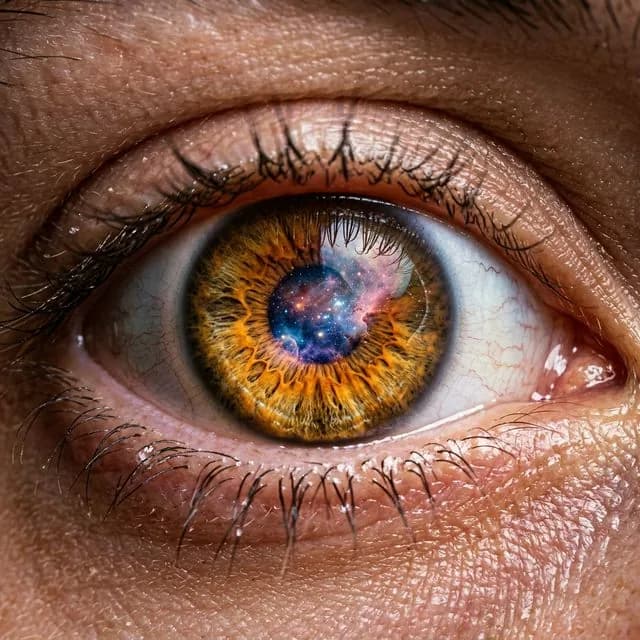
Hyper-Realistic Eye
detailed skin pores and eyelashes, dramatic studio lighting
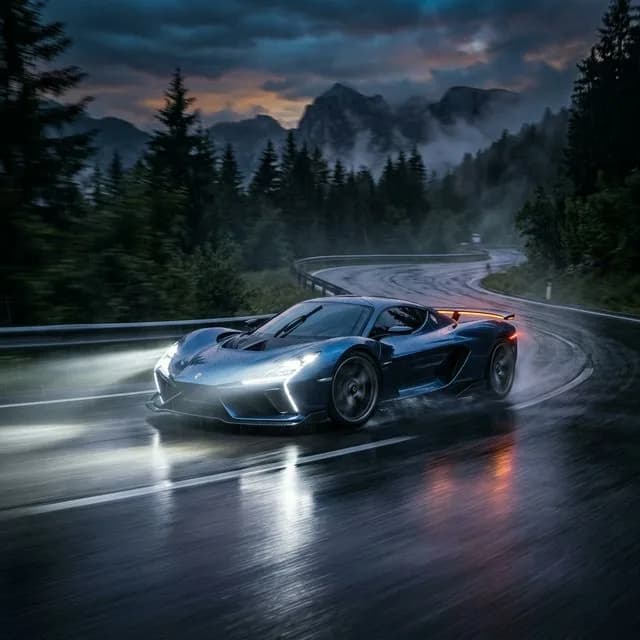
Futuristic Supercar
cinematic headlights, motion blur, gorgeous reflections, 8k render
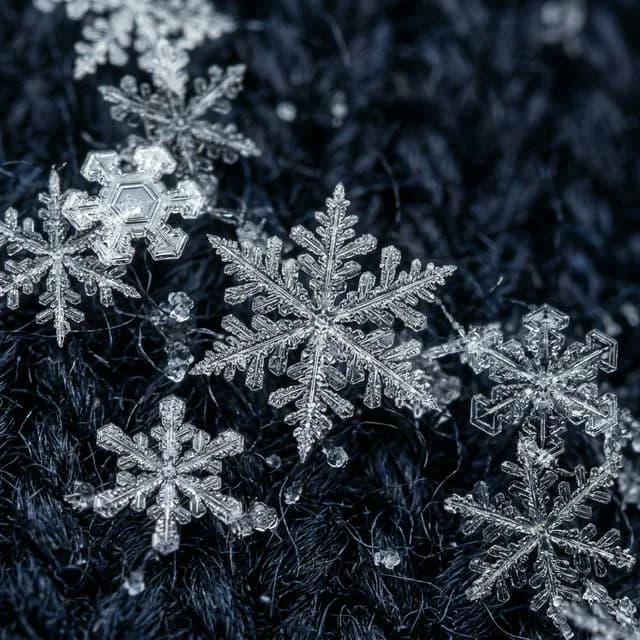
Macro Snowflakes
microscopic details, frozen crystalline structure, sharp focus, 8k resolution, photorealistic
Frequently Asked Questions
How is this different from Midjourney's /describe command?+
/describe runs inside Discord or the Midjourney app, requires a subscription, and returns four short caption-style suggestions. This tool runs in any browser without a Discord account and produces one detailed prompt covering subject, lighting, style language, and parameter flags, all editable before you generate.
Does the output work with Midjourney v6 and v7?+
Yes. The core prompt structure carries across versions, and the version flag is yours to set: run --v 6 for its established behavior or --v 7 for the newest model. Both versions accept the same --ar, --stylize, and --chaos parameters the tool works with.
Which Midjourney parameters does the generated prompt include?+
Extractions target the flags that matter most for reproduction: --ar to match your reference's aspect ratio, --stylize to control how strongly Midjourney applies its own aesthetic, and a version flag. You can layer --chaos, --weird, --sref, or --cref on top before running it.
Does this tool generate the images too?+
No. It is a prompt engine, not an image renderer. Upload an image, get the Midjourney-syntax prompt that describes it, then paste that prompt into /imagine in Discord or the Midjourney web editor to render. That separation lets you refine the text before spending Midjourney generations.
Can it handle anime images for Niji?+
Yes. Upload anime or manga artwork and the extraction captures line weight, shading style, and palette in its description. Swap the version flag for --niji before generating and Midjourney's anime-tuned model takes over. It is a fast way to study how a favorite aesthetic translates into prompt language.
Is the Midjourney prompt generator free to use?+
Yes. A daily pool of complimentary credits comes with every account, enough to extract prompts for personal projects without a card on file. Everything happens inside any web browser, so no software needs setting up. Heavier workflows can upgrade for extra capacity.
Will the generated prompt recreate my image exactly?+
Expect a faithful stylistic recreation, not a pixel-perfect copy. Midjourney introduces variation by design, and a text prompt cannot encode every detail of a source image. For closer matches, keep the extracted prompt and add --sref pointing at your original: text steers content while the reference locks style.
Can I use the same upload for other AI models?+
Yes. The page runs on a model-aware engine. After extracting a Midjourney prompt, switch the target to Stable Diffusion or DALL-E 3 and the same upload is rewritten in that model's native syntax: token-weighted phrasing for one, natural language for the other.
Learn More
Explore More AI Tools
Image to Prompt Generator
Reverse-engineer any picture into prompts formatted for every major AI art model.
Stable Diffusion Prompt Generator
Extract token-weighted Stable Diffusion prompts, with negative prompt suggestions, from any image.
DALL-E 3 Prompt Generator
Turn reference images into rich natural-language prompts tuned for DALL-E 3.