Reverse Image to Prompt
Reverse-engineer any image into the exact text prompt used to create it. Upload and extract instantly.
How Reverse Image Prompt Recovery Works
Found an incredible AI image with no prompt in sight? Upload it and this tool recovers the wording behind it, so you can recreate the look, remix the subject, or adapt the style to a different model in minutes.
Upload the Image You Found
Save the render from a feed, gallery, or chat thread and drop it into the analyzer as a JPG, PNG, or WebP file.
Watch the Prompt Come Back
The vision engine reads the subject, setting, lighting, and style cues, then reconstructs a prompt that could plausibly generate the image, formatted for your target model.
Recreate, Remix, or Adapt
Copy the recovered prompt as-is to recreate the look, or swap the subject and style tags before running it in Midjourney, DALL-E 3, or Stable Diffusion.
From Mystery Image to Working Prompt
Every creator has scrolled past an AI image so good it stops the feed cold, only to find the prompt was never shared. A reverse image prompt closes that gap. Upload the picture and the engine reconstructs the wording that could produce it: subject, setting, lighting, style tags, and the quality tail, formatted for Midjourney, DALL-E 3, or Stable Diffusion. Reading recovered prompts is also the fastest way to learn prompt structure, because you study the finished image and its recipe side by side.
Recovering the prompt is only step one; the real payoff is the remix. Keep the recovered setting and technique but swap in your own subject, or hold the subject steady and push it toward a new style, then adapt the same wording across models. It is also the ethical way to build on community styles: you learn the technique behind a look instead of scraping someone's exact output. When you want deeper analysis of any picture, photo or artwork alike, our image to prompt generator handles the full extraction workflow.
- Recovers prompts from unshared AI images
- Swap subject, setting, or style independently
- Model-ready output for Midjourney and Stable Diffusion
Who Reaches for a Prompt Recovery Tool?
Anyone who has ever saved an AI image and wondered how it was made. These three groups get the most out of prompt recovery.
Style Hunters
Spot a look on a showcase feed, recover the prompt behind it, and rebuild the aesthetic inside your own project library.
Prompt-Craft Students
Study recovered prompts next to their finished images to understand how word order, style tags, and quality terms actually shape output.
Remix Artists
Recover a community style, swap the subject for your own concept, and adapt the result across Midjourney, DALL-E, and Stable Diffusion.
Prompt Recovery vs. the Usual Workarounds
When a prompt is not shared, most people either squint at the image and guess, or message the creator and hope. Here is how AI-powered recovery compares to both.
| Feature | ImaginPrompt | Guessing by Eye | Asking the Creator |
|---|---|---|---|
| Time to a usable prompt | ✅ Seconds after upload | ⚠️ Hours of trial and error | ❌ Waiting on a reply that may never come |
| Style and quality descriptors | ✅ Reconstructed automatically from the image | ⚠️ Limited to what your eye catches | ⚠️ Only as complete as what they share |
| Works on any image you find | ✅ Any AI render, any source | ⚠️ Depends on your prompt vocabulary | ❌ Requires a reachable, willing creator |
Eyeballing an image trains intuition and asking creators builds community, but neither is dependable on a deadline. A reverse image prompt gives you a concrete, editable starting point in seconds, and you can still credit the original artist for the inspiration.
Sharper Recoveries, Smarter Remixes
💡 Recover from the cleanest version of the image
Screenshots with UI overlays, watermarks, or heavy compression blur the signal. Save the full-resolution original whenever possible so the engine reads texture, lighting, and style cues instead of artifacts.
💡 Change one variable per regeneration
After you recover a prompt, edit a single element, the subject, the setting, or the style tail, then regenerate. Isolating changes shows you exactly which phrase controls which part of the image.
Prompt Recoveries You Can Study
Every image below is paired with its real prompt, exactly what a reverse image prompt recovery hands you: swappable variables up front and a style tail you can keep or trade.
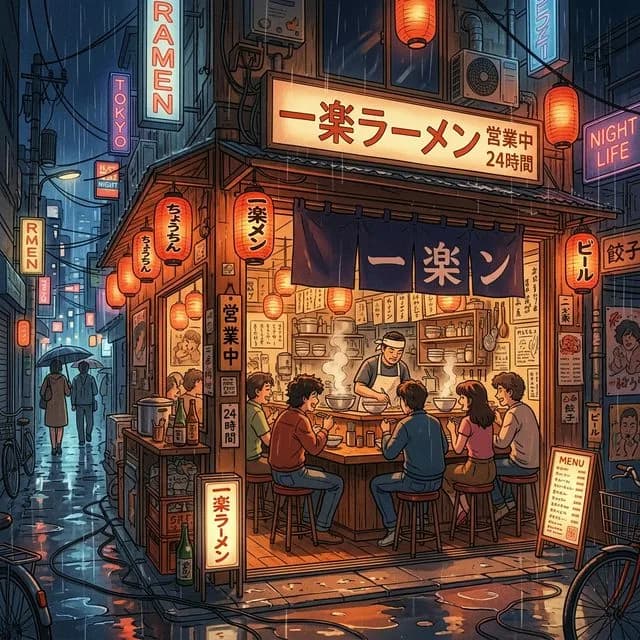
Tokyo Night Slice of Life
Warm glowing lanterns, intricate clutter, 80s classic anime aesthetic, highly detailed
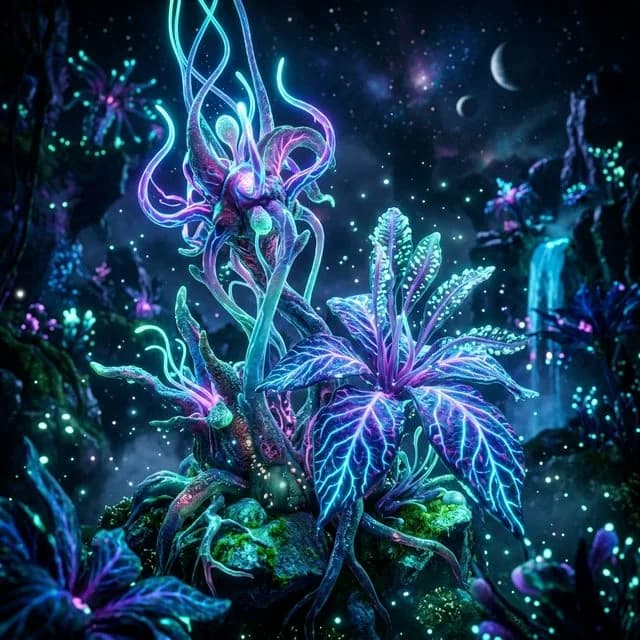
Bioluminescent Alien Flora
Highly detailed textures, depth of field, rendered in Unreal Engine 5, cinematic environment
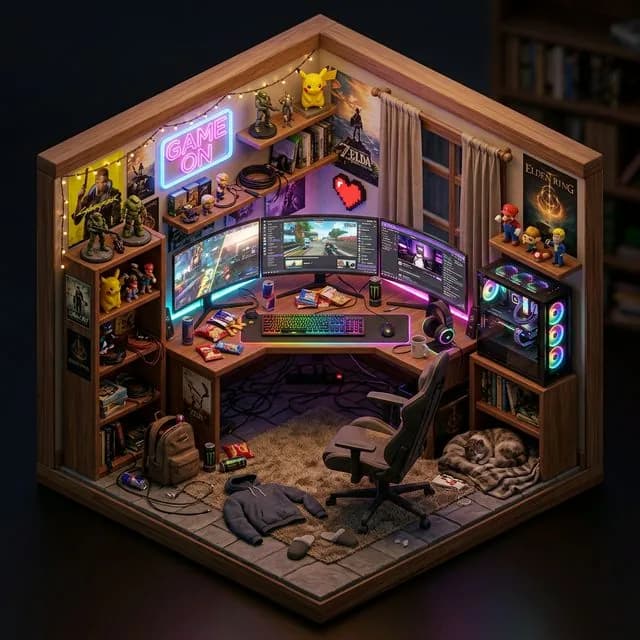
Gamer Room Diorama
Intricate details, soft global illumination
Frequently Asked Questions
Does the tool recover the exact original prompt?+
It reconstructs a prompt that can reproduce the image's subject, composition, and style, not a byte-for-byte copy of the original text. In practice that distinction rarely matters: the recovered wording gives you the same visual recipe, and you can refine it toward a pixel-close match within a regeneration or two.
Which AI models does the reverse image prompt tool support?+
The recovered prompt can be formatted for Midjourney, DALL-E 3, and Stable Diffusion, and you can adapt it across models: recover from a Midjourney render, then rerun the wording in Stable Diffusion to see how each engine interprets the same recipe.
Is it okay to reuse a prompt recovered from someone else's image?+
Prompts are generally treated as techniques rather than protected works, but etiquette still matters. Use the recovery as a learning tool or a starting point, change the subject or style to make the result your own, and credit the original creator when you post work inspired by theirs.
Is there any setup or cost to try it?+
No. The finder operates completely on the web with no download step, and a daily supply of complimentary credits is included for everyone. Upload the image you want to reverse, review the recovered prompt, and paste it straight into your generator without ever leaving the page.
Learn More
Explore More AI Tools
Image to Prompt Generator
Turn any photo, render, or artwork into a detailed, model-ready AI prompt.
Midjourney Prompt Generator
Build Midjourney-ready prompts complete with parameter flags, style weights, and version syntax.
AI Alt Text Generator
Generate accessible, SEO-friendly alt text descriptions for every image on your site.